
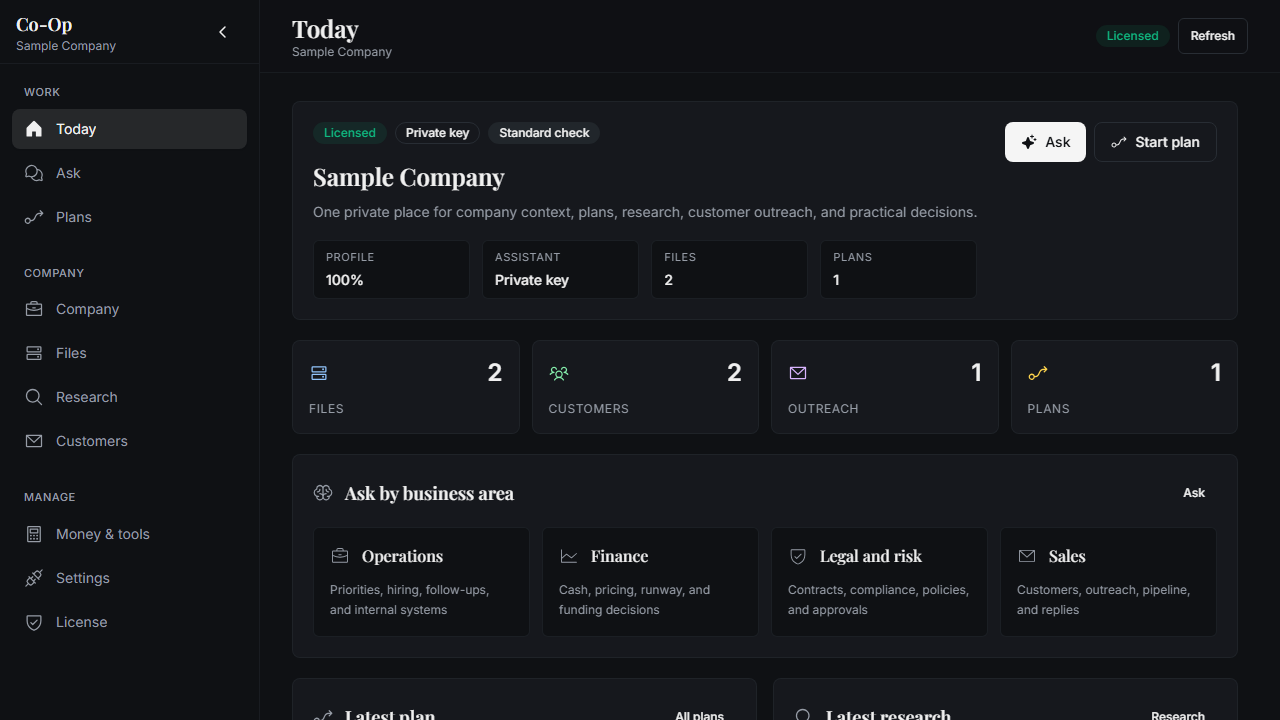
Company context in one place
Keep files, notes, decisions, plans, and customer work together on the installed computer.
Product
Co-Op keeps the main operating areas simple: ask, files, research, customers, plans, money, settings, and license access.
Keep files, notes, decisions, plans, and customer work together on the installed computer.
Use a local assistant, or connect a private provider key when the business is ready for it.
Create plans, review research, draft outreach, and keep a history of the work that was done.
The web account handles access, downloads, licenses, and device activation. The desktop app handles company work.
Private advisor
Company memory
Market work
Workflow
The web account handles access and downloads. The installed app handles company context and work history.
Manage access, downloads, billing, and activation keys from the account center.
Run the company workspace from the desktop, where local files and history are stored.
Use a local assistant or connect a private provider key from the settings page.
Plans, research, outreach, and finance checks keep a visible record for the owner.
The cloud service checks account and license access. The desktop app manages files, assistant settings, local history, and the work itself.
FAQ
In the desktop app. The cloud account manages identity, downloads, license access, activation, and license status checks.
No. The normal choices are simple: use the local assistant setup, or connect a private provider key from settings.
Yes. Co-Op supports private provider keys while keeping those credentials local to the desktop app.
The cloud service stores account and license records. Company files, assistant settings, and work history are owned by the desktop app.